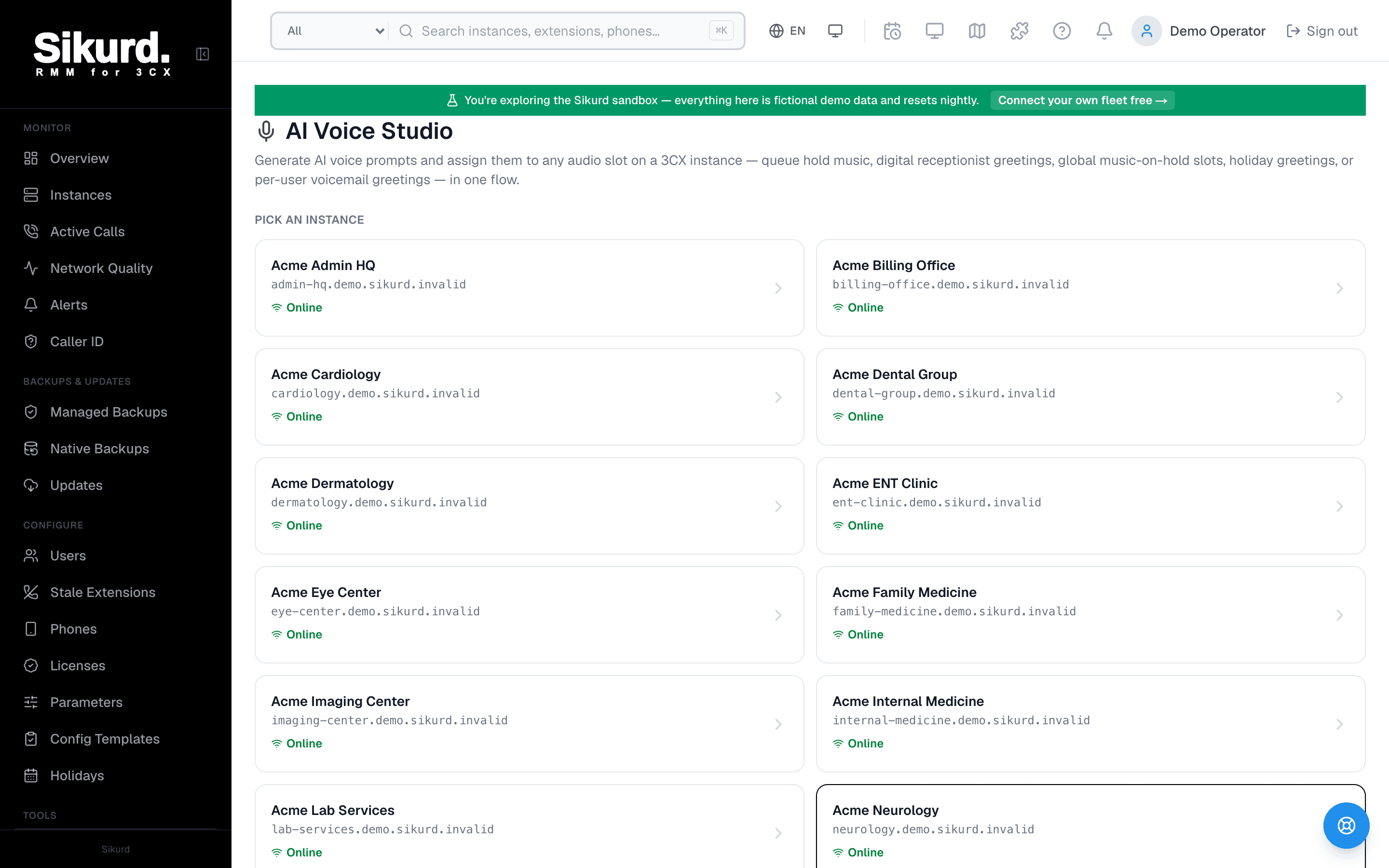
AI Voice Studio
Generate voice prompts with AI and assign them to any audio slot on Northwind Cardiology — queues, digital receptionists, or global hold music — in one flow.
Target
Voice
Script
Output is mono 8 kHz 16-bit PCM — the format 3CX expects for prompts.
The real pain isn't writing the script — it's the file
Ask any MSP tech who has set up a few 3CX systems and they'll tell you the script is the easy part. "Thank you for calling Acme, press 1 for sales" takes thirty seconds to write. The friction is everything that happens next: turning those words into an audio file the PBX will accept without complaint.
3CX is specific about that file. Prompts, IVR menus, hold music, and voicemail greetings all have to be a WAV that is mono (one channel), 8 kHz sample rate, and 16-bit signed PCM. That is the telephony standard — narrow-band, single-channel audio — and almost nothing produces it by default. A voice memo off a phone is an m4a at 44.1 kHz. A track exported from a consumer editor is a 44.1 kHz stereo MP3. A "high quality" studio WAV is 24-bit at 48 kHz. Feed any of those to 3CX and you get a rejected upload or, worse, audio that plays back warbly and aliased because the sample rate is wrong.
So the job balloons. You either book a voice actor and wait for a deliverable, or you record it yourself and now you need a quiet room, a decent microphone, and an editor that can downmix to mono and resample to 8 kHz — which most people have to go and learn. Multiply that by every customer, every seasonal holiday message, every "can you change the greeting" ticket, and a thirty-second script becomes a half-hour chore. Across a fleet, it's death by a thousand small audio tasks.
AI voices remove the recording step entirely
The first half of the fix is to stop recording audio at all. Sikurd's Voice Studio includes text-to-speech built on lifelike AI voices: you type the script, choose a voice, and it synthesizes the greeting for you. There's no booth, no microphone, no talent booking, and no editing pass — the thing that used to require a studio is now a text box and a dropdown.
The voices are the modern kind, not the flat robotic text-to-speech of a decade ago. They handle punctuation, pacing, and emphasis on their own, so "For sales, press 1. For support, press 2." reads with natural cadence instead of a monotone. You can browse a catalogue spanning different genders and accents — American, British, and others — audition each one before you commit, and there's even a flow to email a set of samples straight to your client so they pick the voice that matches their brand. No more being the bottleneck on a subjective "which voice sounds right" decision.
Crucially, the synthesized output is already in 3CX's format — mono, 8 kHz, 16-bit PCM WAV. There's no post-processing step, no "now convert it" stage. What comes out of text-to-speech is a file 3CX will accept as-is.
Already have audio? The free WAV Converter conforms it
Generating speech covers the common case, but not every prompt is read aloud. Sometimes the customer hands you a branded jingle, a hold loop with their tagline mixed in, an old greeting recorded by their receptionist, or even a video whose voiceover is exactly what they want on the line. For that, Voice Studio includes a WAV Converter.
It accepts any audio or video file your browser can decode and turns it into a 3CX-spec WAV. Under the hood it decodes the source, mixes it down to a single mono channel, applies a low-pass filter at the telephone-bandwidth ceiling so nothing aliases when it's narrowed, resamples to 8 kHz, and encodes a clean 16-bit PCM WAV. It's even smart enough to recognise a file that already conforms and leave it untouched.
Two things make it genuinely convenient. First, it's free — and available publicly, so it's useful even outside the platform. Second, it runs entirely in your browser. All of that decoding, filtering, and resampling happens client-side via the Web Audio API: no server round-trip, no native software to install, and the customer's audio never leaves the machine it's on. For an MSP that's a real privacy and simplicity win — you're not uploading a client's audio to a third-party site to get a phone-ready file.
Where the prompts actually go — the part most tools skip
Here's the difference that matters day to day. Plenty of tools can produce an audio file. The tedious part is getting that file onto the right place in 3CX — the correct slot, on the correct instance, without fumbling through the management console.
Voice Studio is built as a guided wizard: target → source → review. You start by choosing the destination, then provide the audio (generate it with text-to-speech or upload and convert a file), then confirm and push. Because you pick the slot first, the result isn't a loose download sitting in your Downloads folder waiting to be uploaded by hand — it lands exactly where it belongs. The slots it can target:
- Queue intro & on-hold announcementsThe greeting callers hear when they enter a call queue, plus the periodic on-hold messaging while they wait.
- IVR / digital receptionist promptThe menu that routes callers — "press 1 for sales, 2 for support" — read in a consistent, professional voice.
- Music-on-holdThe instance's hold audio. Generate a spoken loop or convert a licensed track to the right format.
- Voicemail greetingA per-user mailbox greeting, so individual extensions get a polished message without each person recording their own.
- Holiday greetingSeasonal and closure messages — the ones you otherwise scramble to record the day before a long weekend.
And because Sikurd is a fleet tool, you do this against any instance you manage from one place. Onboarding a new customer's IVR, refreshing a hold message, or rolling a holiday greeting isn't a per-server expedition into individual 3CX consoles — it's the same three-step flow each time, pointed at whichever instance you choose.
A quick example, end to end
Say a customer is closing for a public holiday and wants callers to hear about it. The old way: write the message, record it (or wait on a voice actor), realise the file is a stereo 48 kHz export, find a converter, fix the format, log into their 3CX, hunt for the holiday prompt setting, upload, test. The Voice Studio way:
- Open Voice Studio and pick the customer's instance.
- Choose holiday greeting as the target slot.
- Type the message — "Thank you for calling Acme. Our offices are closed for the holiday and will reopen Monday at 9am." — and pick a voice. (Or upload an existing recording and let the converter conform it.)
- Review the generated, 3CX-spec audio and push it to the slot.
The script is still the thirty-second part. Everything that used to surround it — the recording, the format wrangling, the console spelunking — collapses into a guided flow that ends with the prompt live on the right system.
Why this matters at fleet scale
One prompt is a minor annoyance. A fleet of customers is where it compounds. Every IVR menu, every seasonal closure, every "can we update the greeting" request is a small audio production task, and small tasks repeated across dozens of PBXes are exactly the kind of work that quietly eats an MSP's hours. Voice Studio attacks the friction at every layer at once: it removes the recording (AI text-to-speech), removes the format problem (spec-correct output and a free converter), and removes the upload hunt (a wizard that assigns the slot for you).
And it's not a premium add-on. Sikurd's pricing is purely per managed instance — no tiers, no feature gating — so Voice Studio is included for every account, with your first three instances free. It's just part of managing the fleet.
Adjacent reading
- Best tools for managing multiple 3CX servers — where audio production fits into the broader management toolkit.
- How MSPs manage multiple 3CX environments — the operational playbook for fleet work like this.
- The free 3CX WAV Converter — try the in-browser converter without an account.