3CX Phone Management Across Your Whole Fleet

Every provisioned handset on every customer PBX, in one inventory. Model, MAC, firmware, registration. Reboot it, reprovision it, or update it, without opening a web console.

The 400-handset problem

A modest MSP fleet of 25 customer PBXs easily carries 300 to 500 desk phones. Each one has a firmware version, and firmware is where the weird tickets live: one-way audio after an ISP change, BLF keys that stop lighting, a handset that reboots at random. The fix is usually boring, reboot it, reprovision it, or bring the firmware current. The expensive part is the twenty minutes of figuring out which customer, which console, and which phone.

Sikurd removes the twenty minutes. Every instance's provisioned handsets are captured on the regular poll cycle and served from one screen, so "find the phone" is a search box, not a spreadsheet archaeology session.
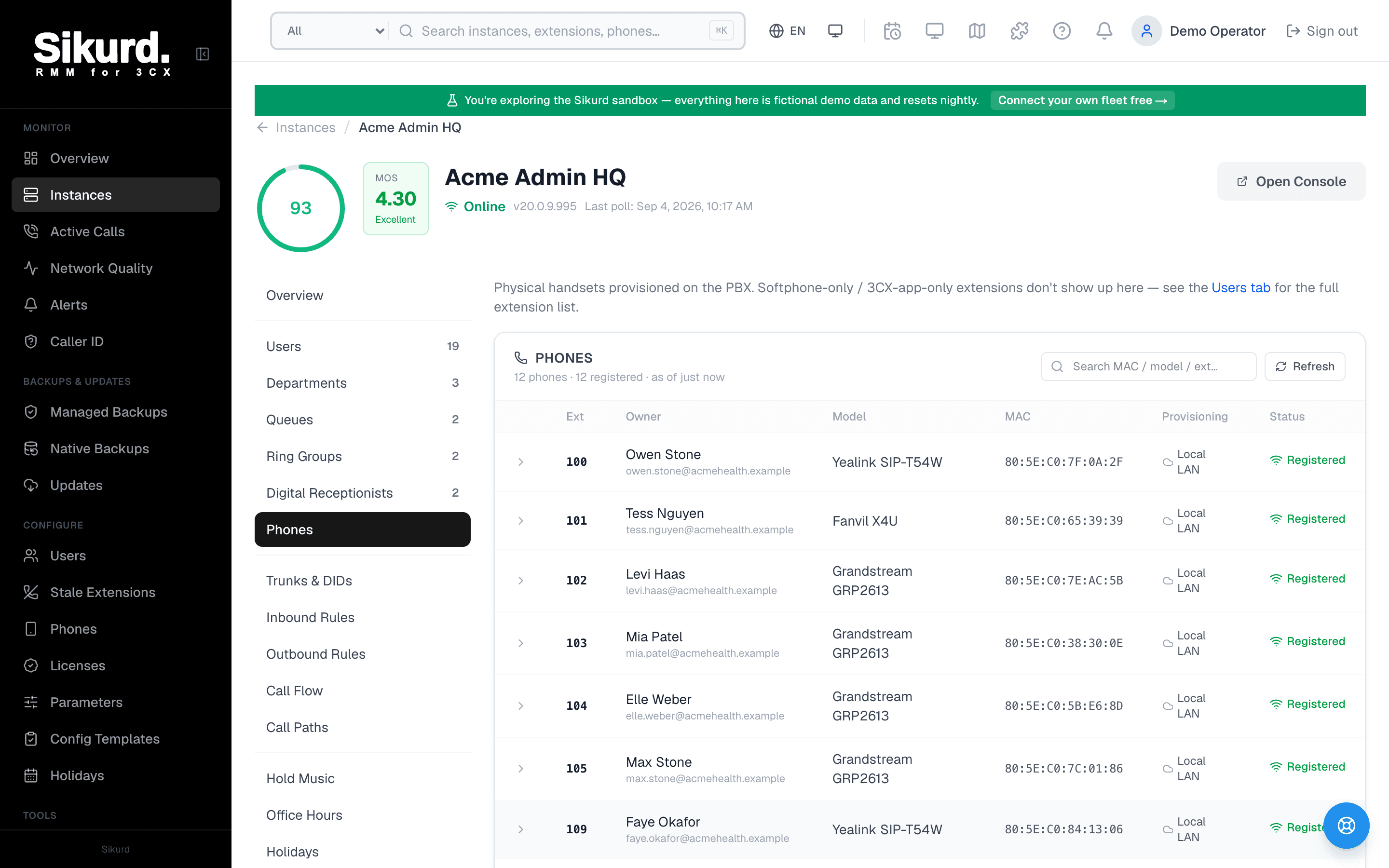
Sikurd's per-instance Phones tab showing provisioned handsets with model, MAC, provisioning type, and registration status
A customer PBX's handset inventory in Sikurd: model, MAC, provisioning, and live registration per phone. Demo data shown.

Firmware, handled the way 3CX intends

Sikurd never sideloads firmware. It reads the supported-firmware list each PBX publishes for each model, compares it against what the handset is actually running, and pushes upgrades through 3CX's own provisioning path. That keeps you inside the vendor-supported matrix while making "every T54W in the fleet is current" a single action instead of a quarterly project.
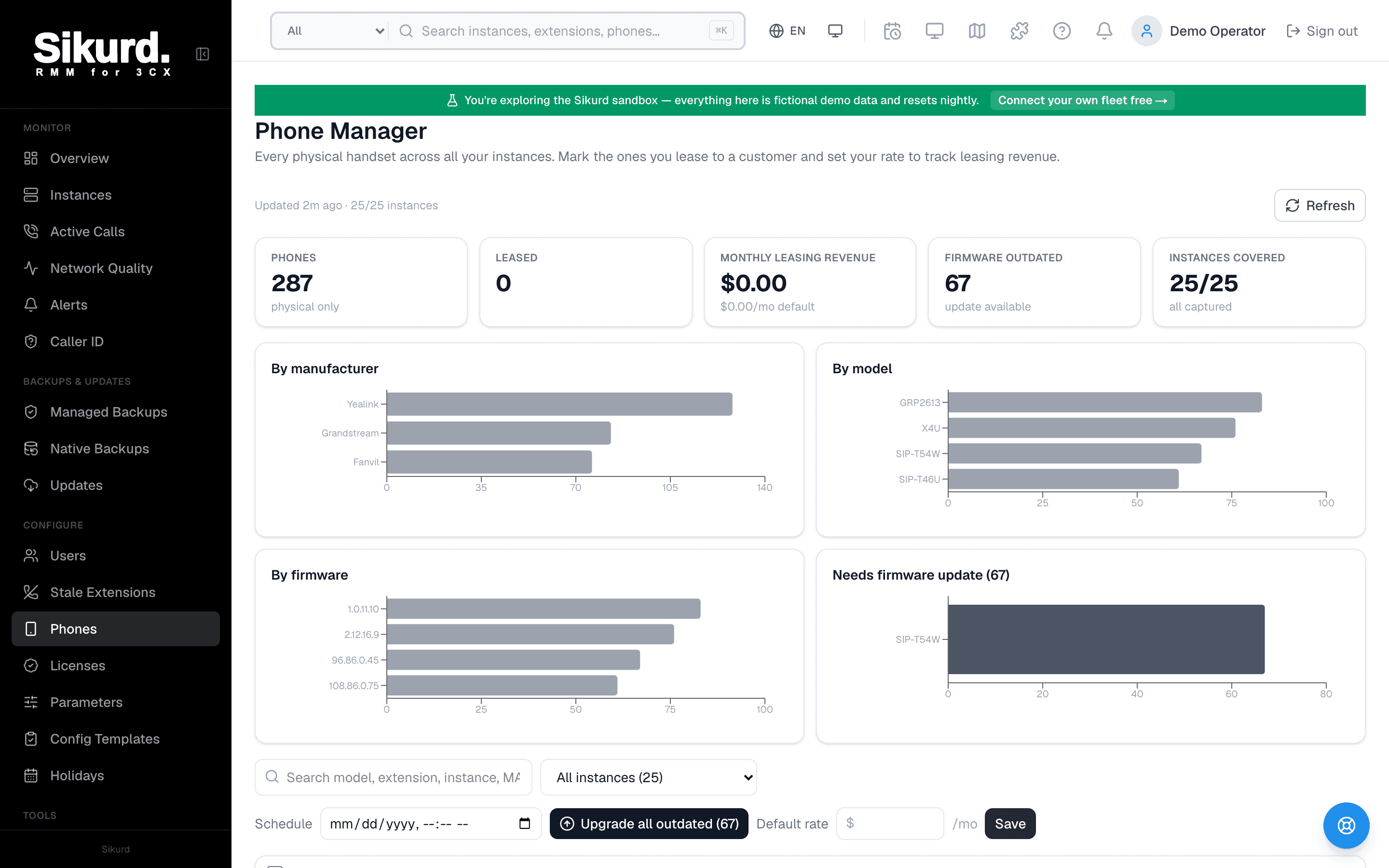
Sikurd's fleet-wide Phones view aggregating handsets across all customer PBXs
The fleet-wide view: every handset on every customer PBX, filterable by model and firmware. Demo data shown.

Built for the tech who picks up the ticket

The phone screens use plain language and put the two actions that solve most tickets, reboot and reprovision, right next to the phone. There is no PBX admin login to hand out and nothing destructive within reach. Every action lands in the audit log with who did it and when, so seniors can delegate handset work to the level-one bench on day one.

Frequently asked questions

Which phone brands does Sikurd manage?
Anything 3CX provisions. Sikurd reads the provisioned-device inventory straight from each PBX, so Yealink, Fanvil, Grandstream, Snom, and the rest all appear with their model, MAC address, firmware version, IP, and the extension they belong to. Firmware availability comes from the PBX's own supported-firmware list, so Sikurd only ever offers updates 3CX itself supports for that model.
Can I update firmware on many phones at once?
Yes. The fleet Phones view groups every handset across every instance by model and firmware, so 'all SIP-T54W units still on 96.86.0.45' is one filter and one action. Sikurd pushes the upgrade through the PBX's own provisioning mechanism, the same way you would from the 3CX console, just without visiting each console.
What about phones acting up right now?
Reboot and reprovision are one click per handset, from the same screen that shows its registration status. A level-one tech can resolve the classic 'phone shows no display name' or 'phone lost its BLF keys' ticket without admin access to the PBX and without knowing which of your nine customer consoles to log into.

Stop guessing which phones are behind.

Sikurd inventories every handset across your 3CX fleet and makes firmware, reboots, and reprovisioning one click. Try it against a real fleet in the live demo, no signup required.

Or start free: your first 3 instances are free forever.