Photograph the shipping labels, assign extensions in a grid, review the plan, apply. Every phone lands on the PBX with the right template, keys and logo, and the whole batch can be rolled back.
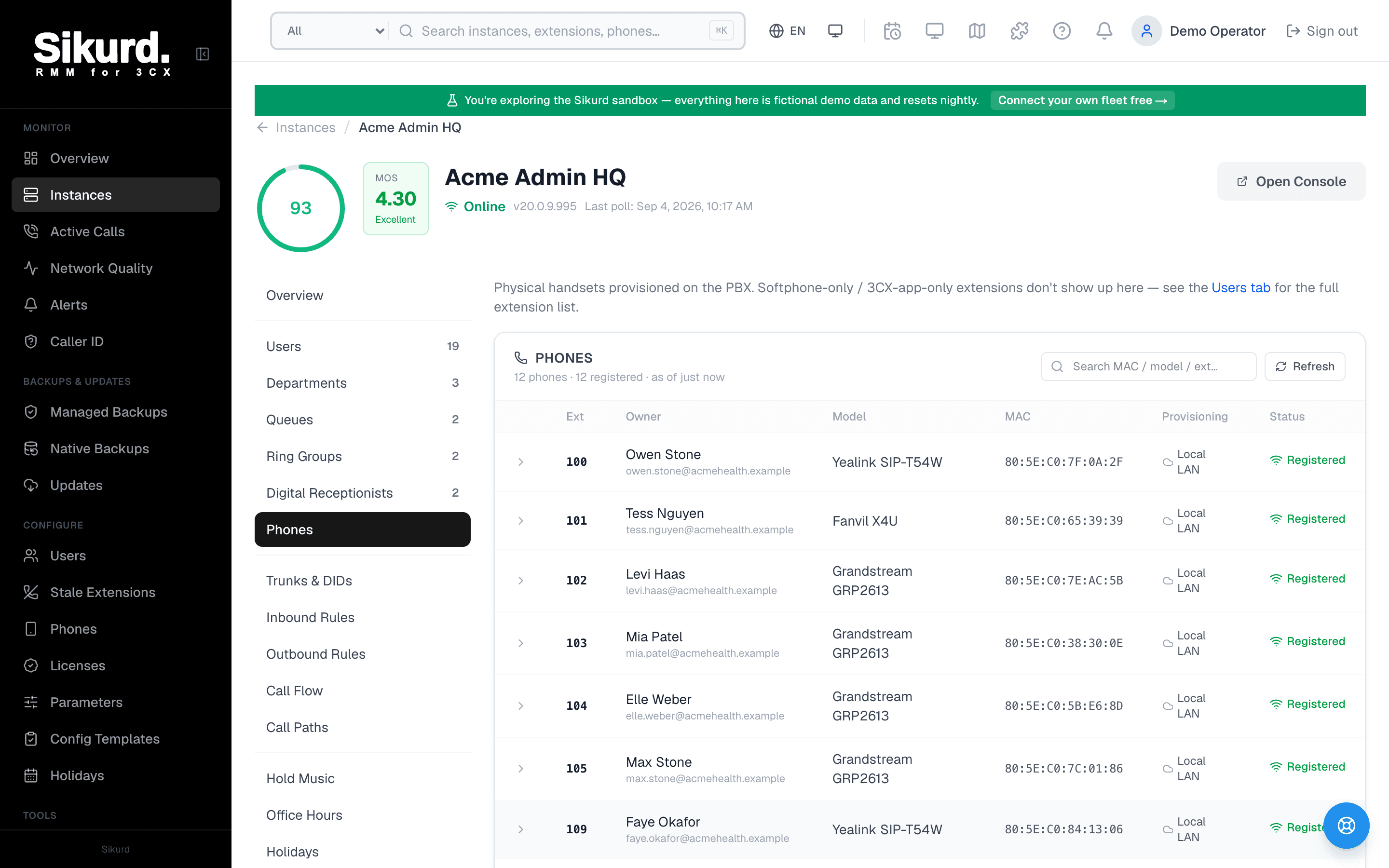
The Phones tab the provisioning tool feeds: every handset on the PBX with its model and firmware. Demo data shown.
The MAC label problem
Every MSP that deploys 3CX knows the ritual: a pallet of phones arrives, someone opens each box, reads the MAC off the label, and types it into the customer's console next to an extension, one at a time, hoping nothing is transposed. Twenty phones is an afternoon. A mistyped digit is a phone that never registers and a truck roll to find out why.
Sikurd's provisioning tool starts from the labels themselves. Photograph the boxes (one shot per shelf is fine) or paste the label text, and the MAC addresses come out as a list, vendor detected, ready to assign. Anything that is not a clean MAC is rejected rather than guessed.
A grid, not a form per phone
Each detected phone becomes a row: extension, model template, provisioning type, BLF key template, time format, logo. Templates and time formats come from the customer's own PBX, so you only ever pick from what 3CX offers that instance, and the defaults 3CX would apply in its console (codecs, language, ring tones) are applied here too. Build a BLF layout once and save it as a tenant template; the receptionist keys for the next site are a dropdown away.
Plan first, then apply one phone at a time
Nothing is written until you review a frozen plan. Apply then walks the batch step by step against the PBX, recording each result. If a phone fails, you see which one and why, retry it, or undo just that step. The whole batch can be rolled back to the snapshot Sikurd took of each user's phone list before touching it. Every write is in the instance's audit log with who ran it.
The tool lives under Tools and on each instance's Phones tab, next to the inventory and firmware view it feeds.
Frequently asked questions
Does Sikurd need the phones on the network to provision them?
No. Sikurd writes the phone entries to the 3CX user records through the PBX API, exactly as the admin console does. The phones pick up their configuration when they boot and reach the PBX or the SBC, the same way they would after a manual entry.
Which phone vendors are detected?
Vendor detection uses the IEEE MA-L registry filtered to phone makers, so Yealink, Fanvil, Snom, Grandstream, Poly and the other 3CX-supported brands resolve from the MAC prefix. The model template is still your choice, because one vendor prefix covers many models.
What does rollback actually restore?
Before writing to a user, Sikurd snapshots that user's existing phone list. Rolling back a batch puts each touched user's phones back to that snapshot, including phones that were already there before the batch. Failed steps can also be undone individually.
Can a phone behind a customer's router be provisioned this way?
Yes. Choose the SBC provisioning type and 3CX creates the SBC entry for that phone the way the console does; phones behind an existing SBC attach to it by name. Sikurd verified both shapes against a live PBX before shipping.
Stop typing MAC addresses.
Open the live demo and walk through a provisioning batch from the Phones tab to the plan review. No signup required.